 01
Organize.
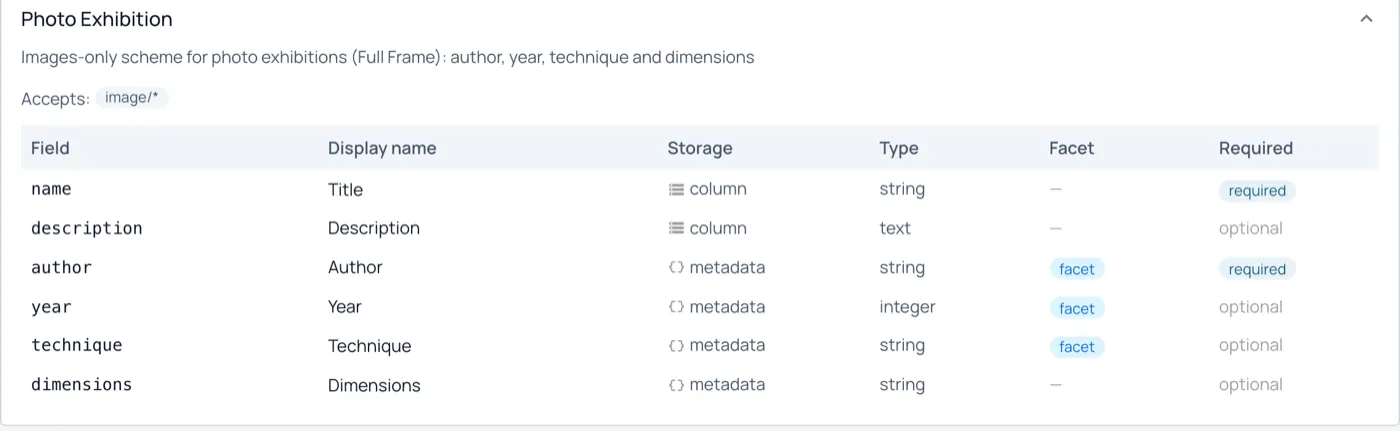
Keep an asset, its supporting files and representations together as a resource. Collection schemas define its metadata, file roles and indexing rules.
Schema-driven collections
Semantic Asset Platform · Open source · early access
TYDAL is the typed Digital Asset Layer. Turn documents, images, datasets and code into structured, searchable resources. Use schemas to define their meaning and Vaults to make selected content available to people, applications and AI agents.
Built first for photography collections and museums, and for AI knowledge work. Archives and learning resources next.
Run your own instance with Docker, or connect an AI client to one you already use.
Your content. Your structure. Your choice of AI.
Publish selected resources as galleries and knowledge spaces.
Beyond digital asset management
Typed means your resources follow schemas: fields, validation and search behavior are defined together. Find content by meaning, connect related resources and reuse them across different contexts.
01Keep an asset, its supporting files and representations together as a resource. Collection schemas define its metadata, file roles and indexing rules.
Schema-driven collections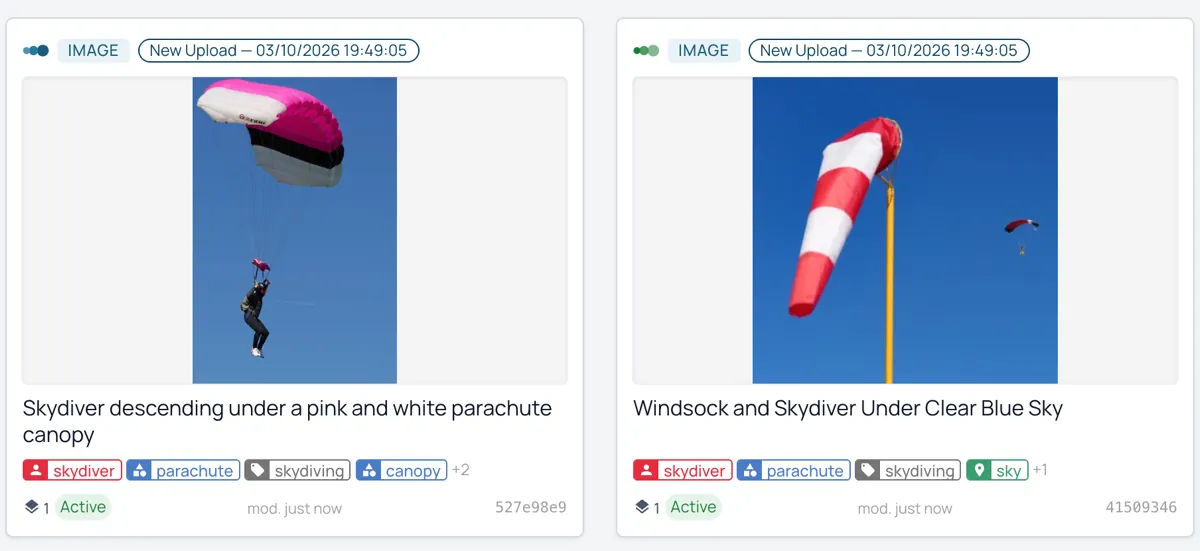 02
AI can suggest descriptions, tags and classifications from your content. Review those suggestions before applying them, or use configurable approval rules.
AI enrichment with review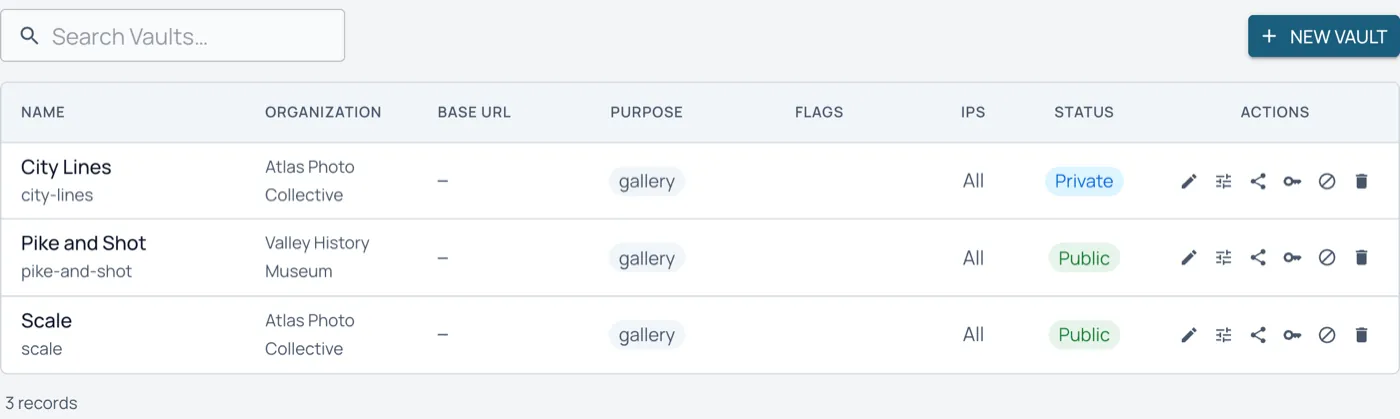 03
Publish selected resources through Vaults with their own context and access rules. Reuse the same source across galleries, applications and AI connections.
One source, multiple contextsBuilt around TYDAL
TYDAL provides the shared resource platform; each client adds its own experience. Documents, images, datasets and code can serve different applications through Vaults, with their own context and access rules.
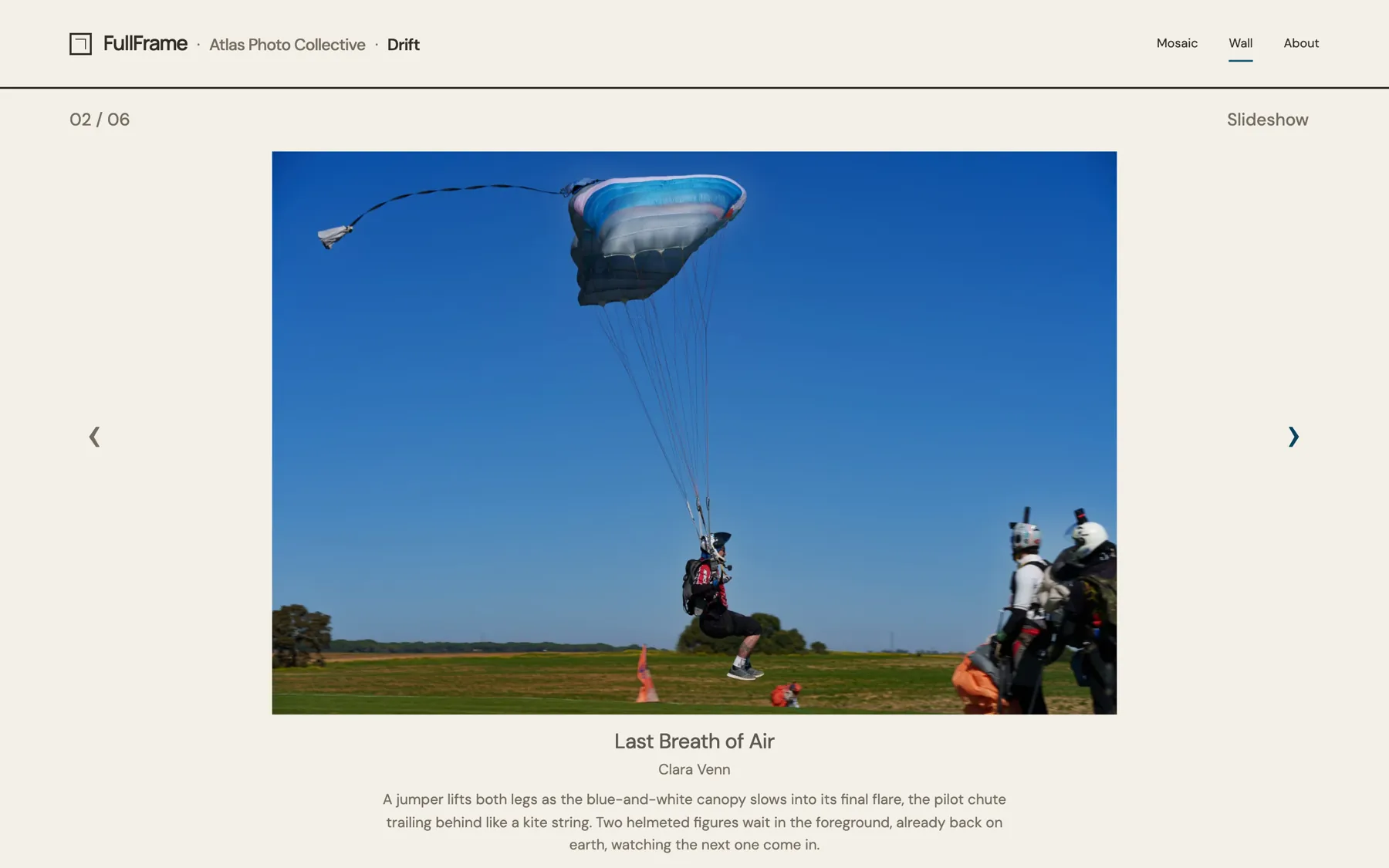
TYDAL's first standalone open-source client adds exhibitions, curator selection and an optional jury. Photographs remain in TYDAL, available to other applications through their Vaults.
Photography · Museums · Archives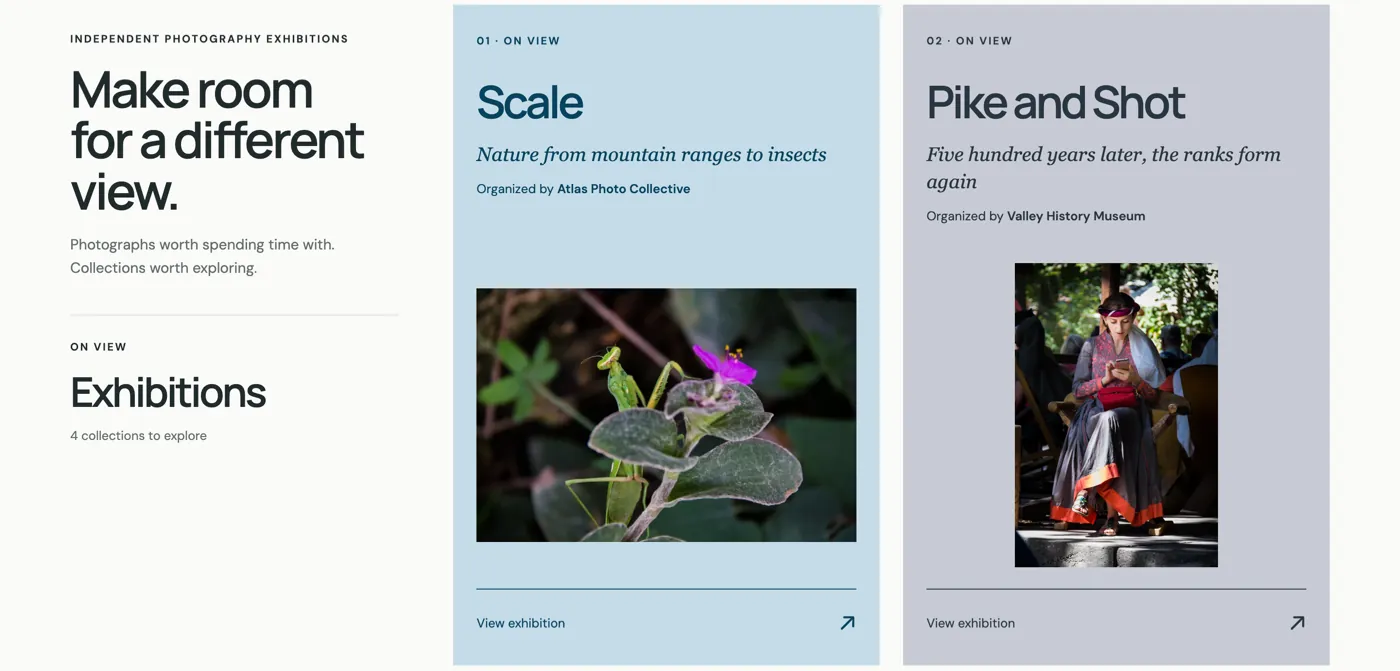
Connect external AI tools through MCP to explore the resources exposed by a Vault, including their content, metadata and relationships.
Agents & knowledge workflows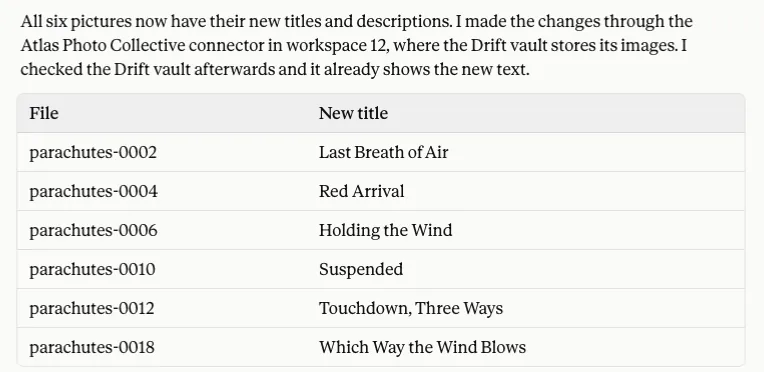
Build an experience around your content using the API and SDK—from a resource library to a learning application.
API · TypeScript SDK · Vaults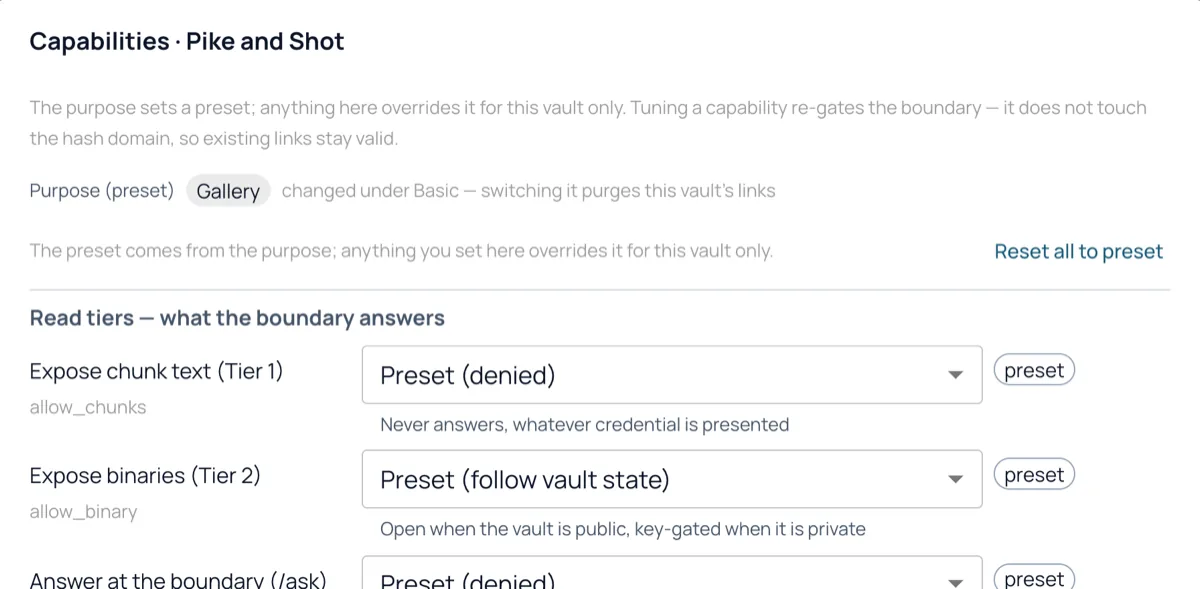
See it work
Connected to TYDAL through MCP, Claude looks at each photograph in Drift, proposes titles and descriptions, and asks before it writes anything back.
For the people who build
Manage resources and collections through the repository API. Build applications against Vault interfaces, or connect AI agents through MCP. Each Vault controls the content and capabilities it exposes.
Explore developer docs# Use your instance’s Vault URL and key
curl "$TYDAL_VAULT_URL/meta" \
-H "X-Vault-Key: $TYDAL_VAULT_KEY"Built in the open
TYDAL is built for developers and early adopters who want to understand, adapt and extend the tools they use.
TYDAL is available under the Apache License 2.0. Run your own instance, inspect the code and contribute to its development.
Explore the repositoryClients can be open source too. FullFrame is available under Apache-2.0: explore a working application built on TYDAL's Vault interfaces.