
Build and configure
FullFrame: a client built on TYDAL
How a photography application uses TYDAL for resources, Vault access and publishing while keeping its own presentation and workflows.
Updated
FullFrame is TYDAL’s first standalone open-source client product. It turns a gallery Vault into a photography exhibition, adding visitor views, a curator studio and an optional jury. It demonstrates how an application can build on TYDAL’s resource platform.
TYDAL also supports documents, datasets, code and composite resources. Photography is one use of the same model: structure resources with schemas, curate them in workspaces and expose them through Vaults for people, applications and AI agents. Start with the TYDAL model for the broader picture.
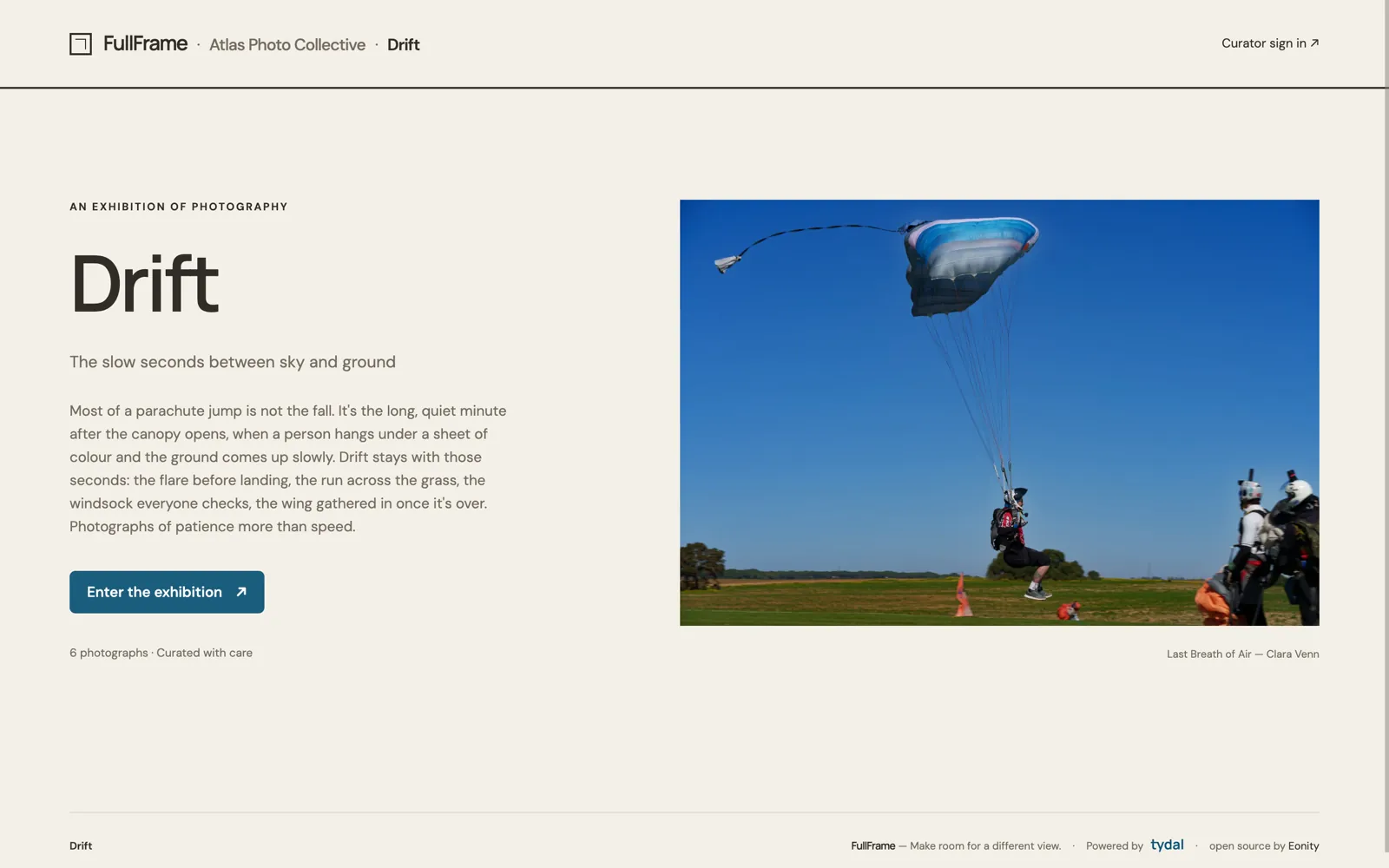
A visitor’s first view of Drift, a demo exhibition. FullFrame v0.2.0 on TYDAL v1.2.0, captured 2026-10-04.
What belongs to each product
| TYDAL provides | FullFrame adds |
|---|---|
| Photograph resources, files and metadata | Mosaic, Gallery and Wall visitor views |
| Schemas, collections and workspace membership | Exhibition details, appearance and curator workflow |
| Vault access, previews and permitted write operations | Jury invitations, scores and private notes |
| The resource projection used for publication | The curator’s selection and local scoring records |
TYDAL remains the repository of record for the photographs. FullFrame stores its exhibition settings and jury records separately. An exhibition does not create another independently managed copy of the photographs.
How the connection works
An administrator prepares a gallery Vault in TYDAL. In FullFrame’s studio, the curator connects its shared URL and the required Vault keys. FullFrame resolves the address and uses Vault-scoped hashes to refer to the photographs.
The FullFrame server uses the TypeScript SDK to read the Vault and invoke permitted writes. Credentials stay on the server. Curator sign-in is a separate connection to TYDAL’s identity endpoint; exhibition content and publication use the Vault boundary.
With the appropriate permissions, the workflow is:
- Prepare: add photographs and their details during setup. TYDAL stores them in the Vault’s configured collection and workspace.
- Curate: choose the appearance and select photographs. An optional jury can inform that selection.
- Publish: FullFrame submits the selected hashes with
activate, then makes the gallery public withopen. - Revise:
closemakes the Vault private and restores its pre-selection projection. Photographs remain in TYDAL, and the curator can adjust the selection before publishing again.
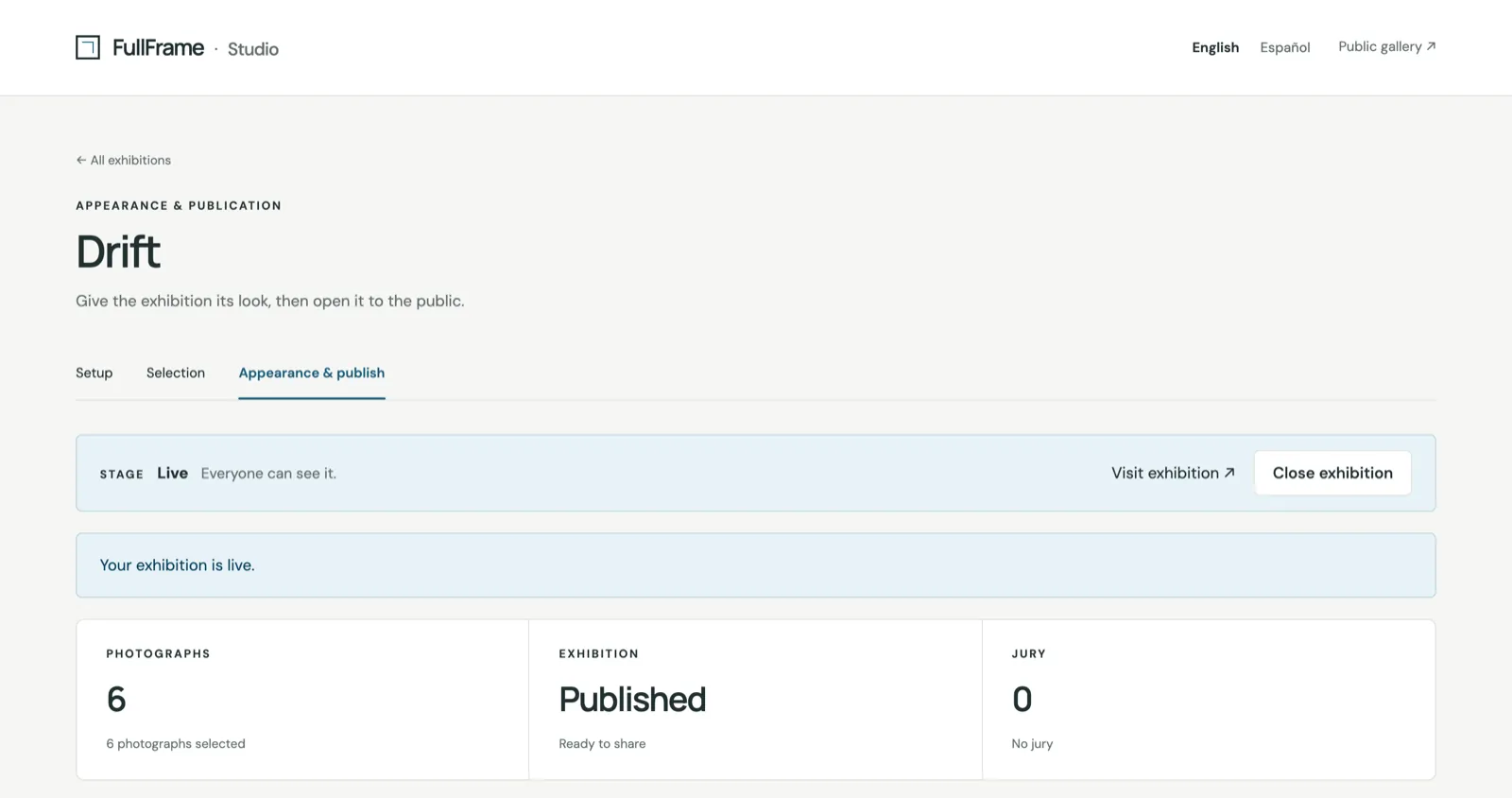
The curator’s studio once Drift is published. Close exhibition runs close. FullFrame v0.2.0, captured 2026-10-04.
These are supported operations on one Vault, authorized by its write key. The application does not need an organization-wide management token to publish an exhibition. See Vault write methods for the detailed contract.
For the same workflow from the user’s side, see the curator guide and Setting up in TYDAL, or all user guides.
Apply the pattern to your own client
Ideas for museums, archives and education
FullFrame’s exhibition and curation workflow suggests several uses for organizations with photographic collections:
- Museums and galleries: accompany a physical exhibition with an online selection of photographs, captions and an introduction, or present a thematic selection from a photographic collection.
- Archives and local heritage groups: bring together historical photographs around a place, period or event, with credits and descriptions that help visitors understand their context.
- Art schools and universities: publish a student photography showcase. An optional jury can support the selection before the exhibition opens.
- Photography societies and festivals: curate a group exhibition, invite jurors to review the photographs and publish the selected works.
These are suggested applications of the existing workflow. Curators prepare the photographs and exhibition texts; FullFrame provides the presentation, selection and optional jury. Specialized museum cataloguing or other institutional workflows would need their own integration or client features.
Extend the experience with TYDAL
Start with the resources your application needs and the context a Vault should expose. Read the Vault’s metadata to discover its available capabilities, use its resource addresses, and request only the write permissions the workflow requires.
For example, a museum could use FullFrame for its public photography exhibition and build a separate research experience over related documents and collection metadata in TYDAL. Different Vaults would define the content and access rules for each audience. This is a possible application of TYDAL’s broader model, beyond FullFrame’s exhibition interface.
Your client supplies its own interface and domain-specific workflows. TYDAL supplies the resource structure and controlled access. A document knowledge space or an AI connection can use that foundation with different content and capabilities. The bundled Gallery, knowledge graph and AI chat clients provide other examples; the Gallery renderer is separate from FullFrame’s curator and jury application.
Continue with API and integrations to choose your connection.
Explore or run FullFrame
FullFrame is available under Apache-2.0. Running it requires a reachable TYDAL instance and a configured gallery Vault.
- Source and application overview
- FullFrame deployment guide
- Prepare an exhibition in TYDAL
- Curator and jury guide
If you are starting with the platform, use Getting started with TYDAL first. Setup commands remain in the product repositories so they can evolve with the code.