
Reference
Screenshots and walkthroughs
Visual guides to the interface and common development workflows.
Updated
Real captures from a local instance with demonstration content: TYDAL v1.2.0 and FullFrame v0.2.0, taken on 3 and 4 October 2026. Select an image to open it at full size.
Schemes and uploads
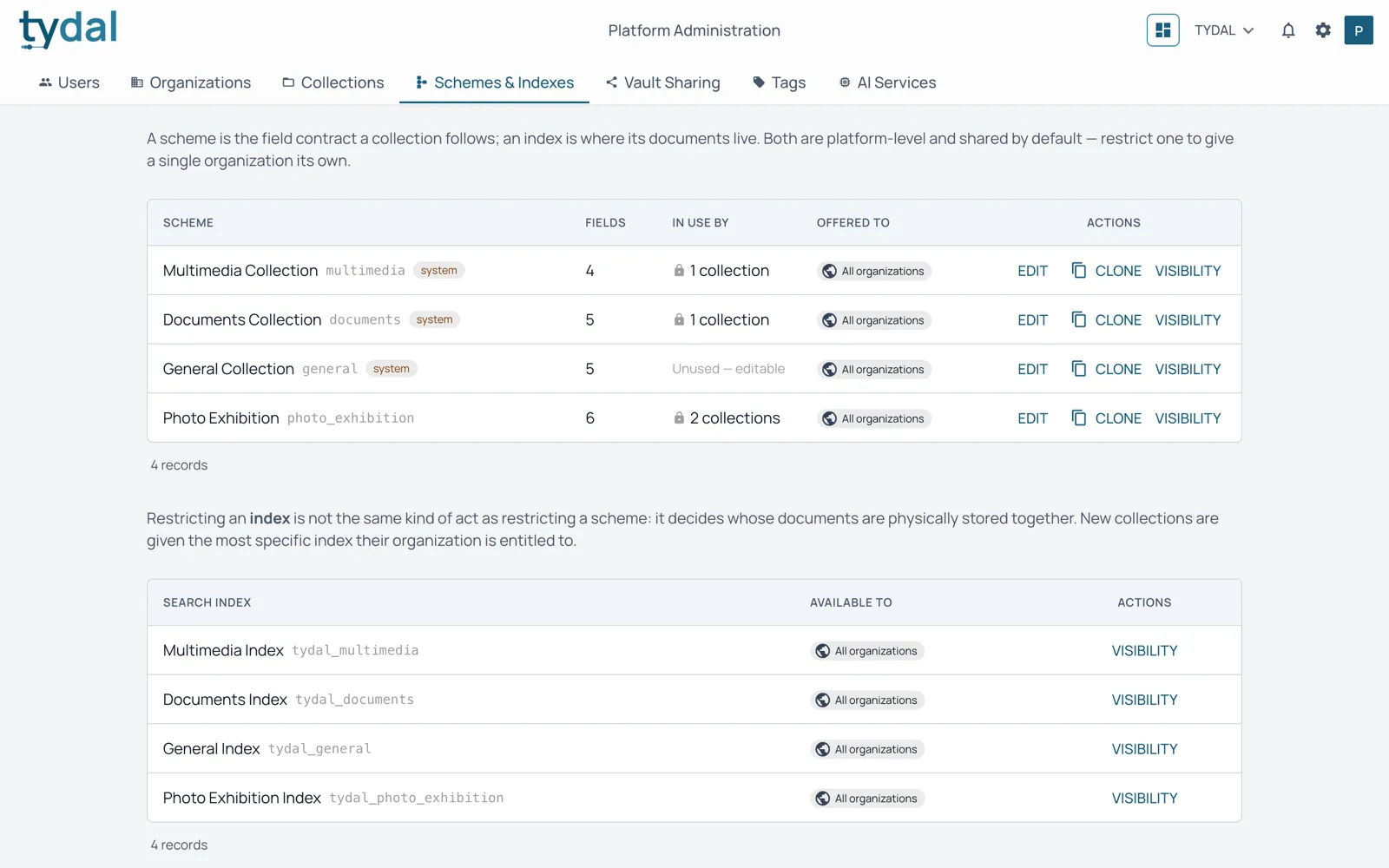
Schemes and search indexes. A scheme is the field contract a collection follows; an index is where its documents are stored for search.
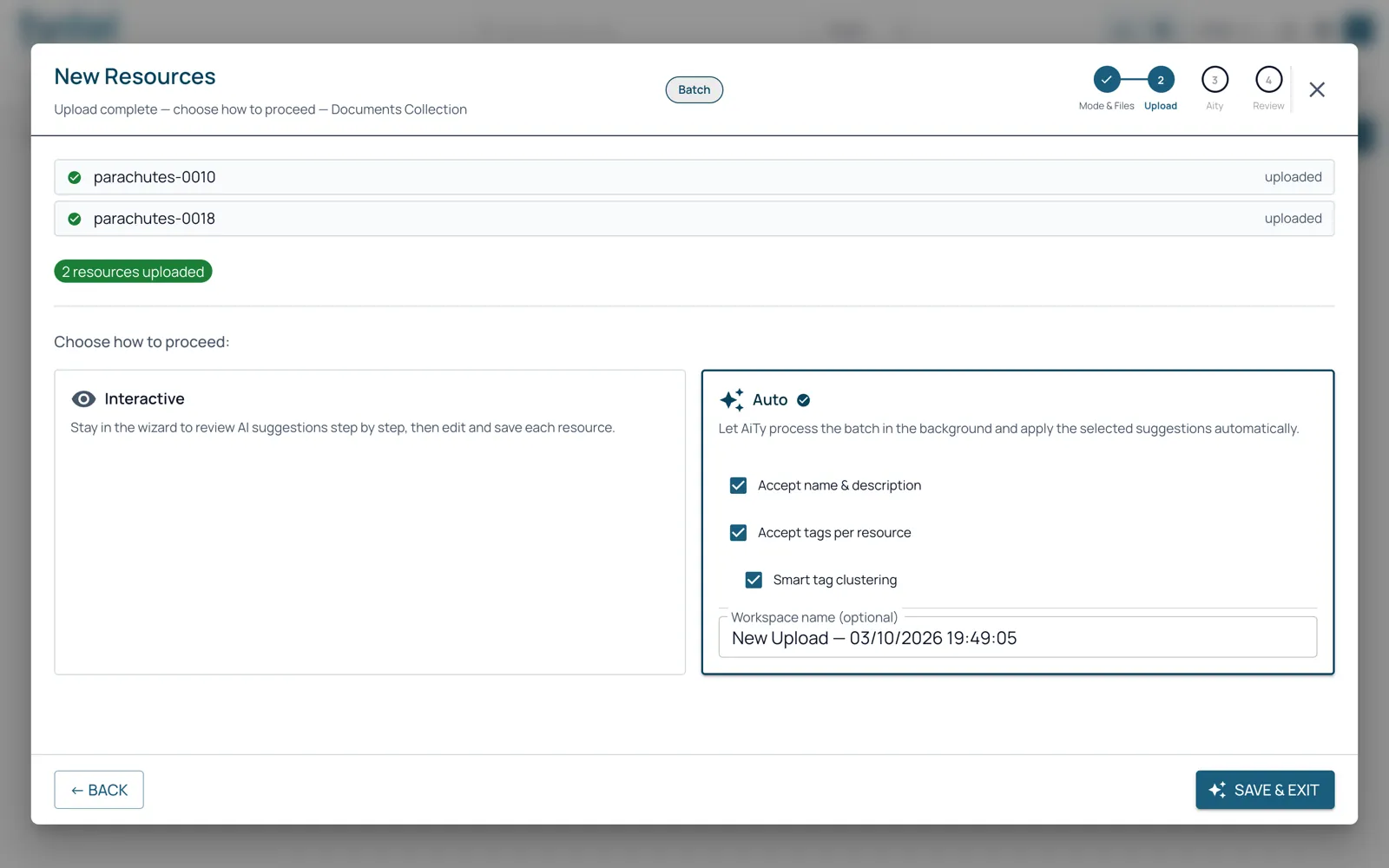
The upload wizard. Review AI suggestions one resource at a time, or let them be applied automatically to the batch.
Vaults
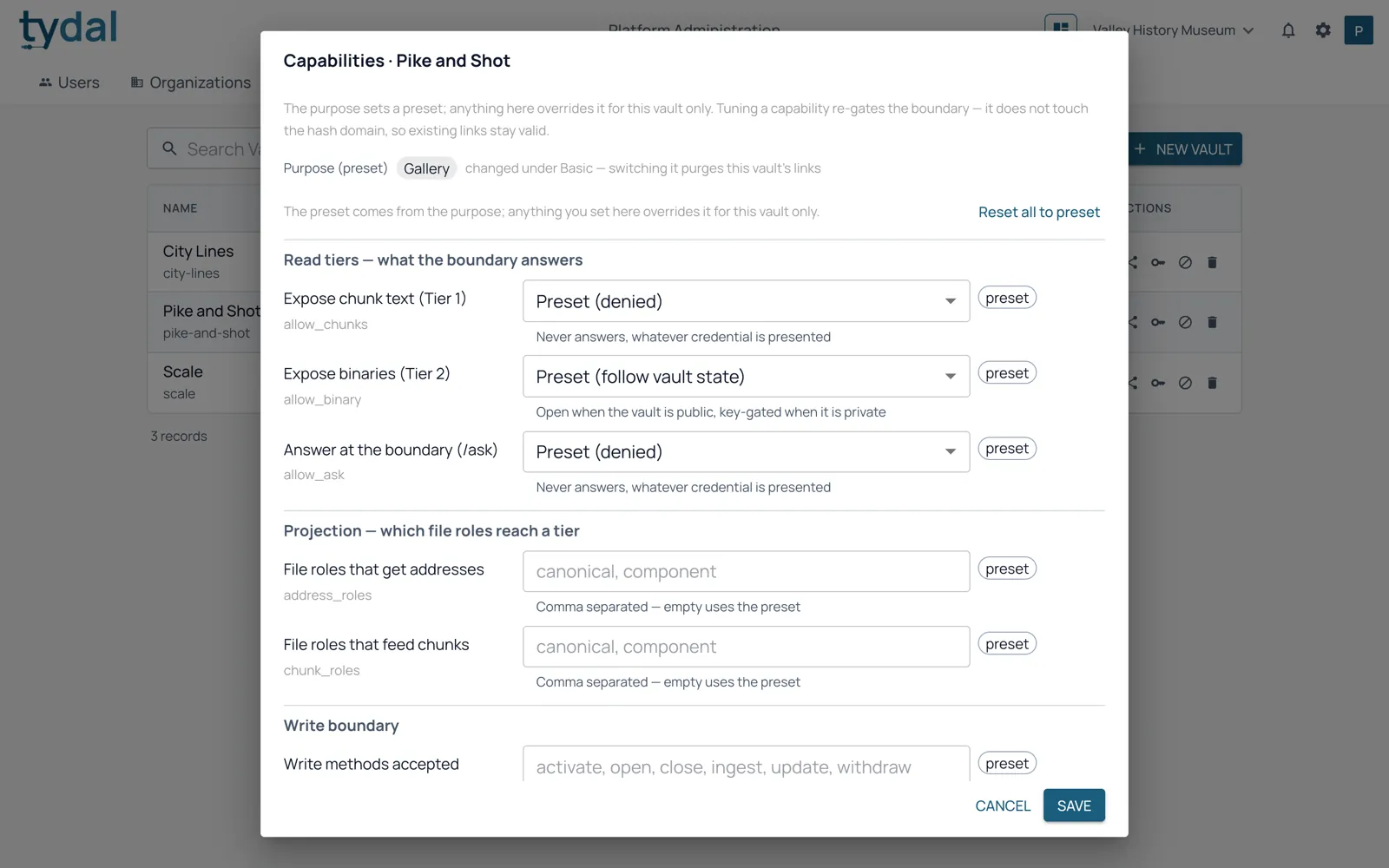
A Vault’s capabilities. Its purpose sets a preset; each read tier, file role and write method can override it for this Vault only.
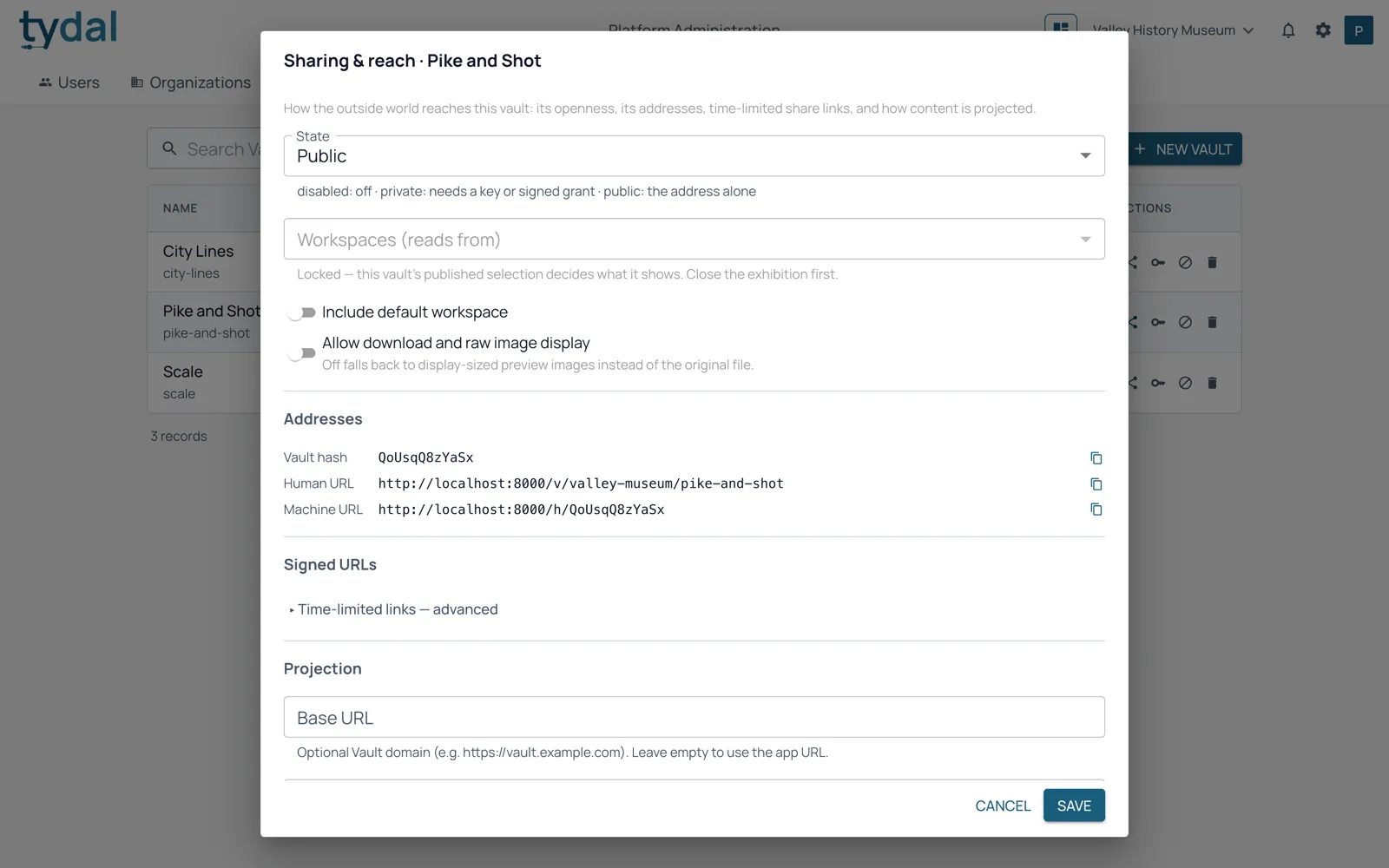
Sharing and reach: whether the Vault is disabled, private or public, and the addresses people and applications use. The addresses point at the local instance the capture was taken on.
Publishing an exhibition in FullFrame
The curator’s side of FullFrame, from setup to a live exhibition, shown with Drift, a demo exhibition.
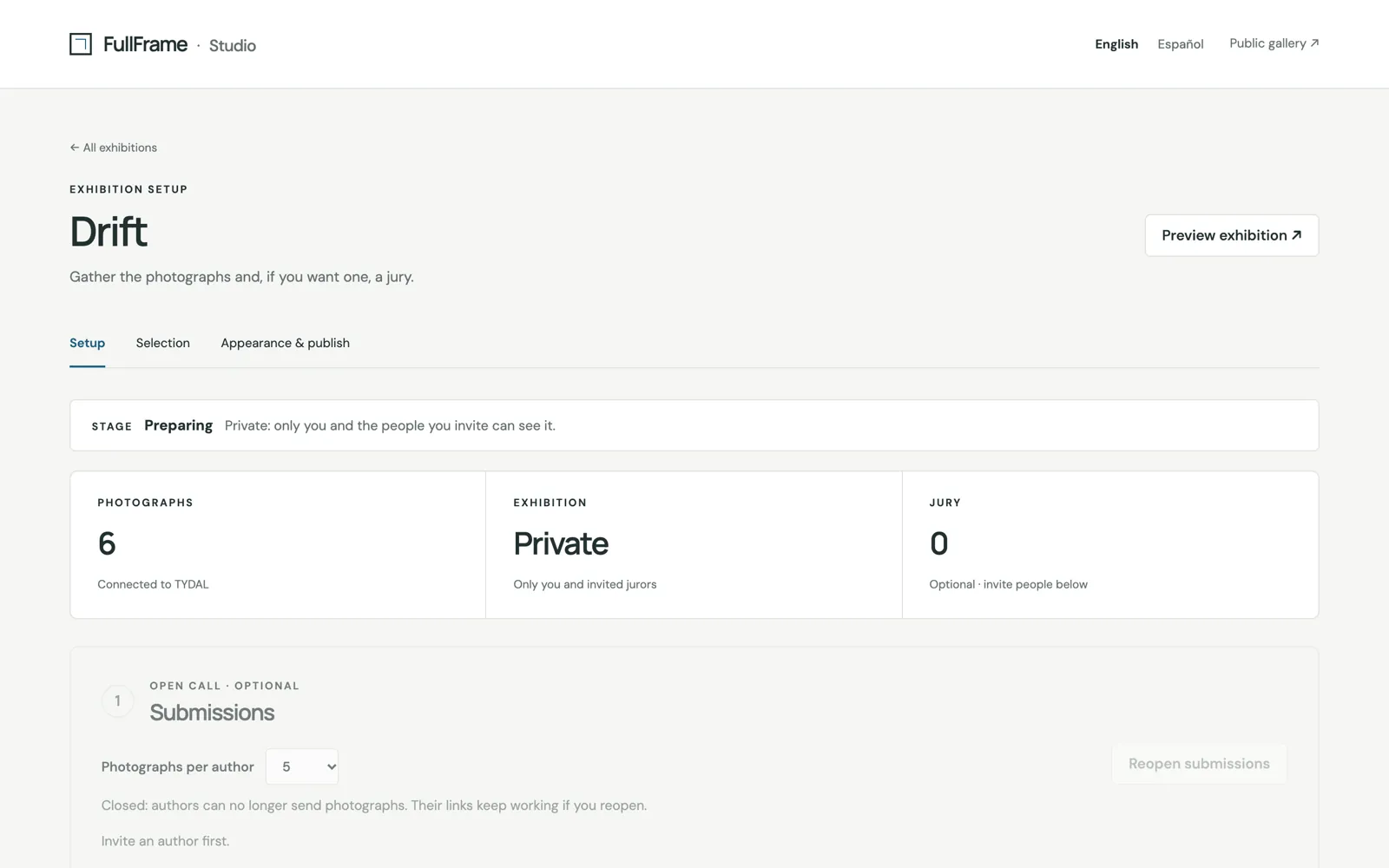
1. Setup. The stage, the photographs connected from TYDAL, the exhibition’s visibility and the jury.
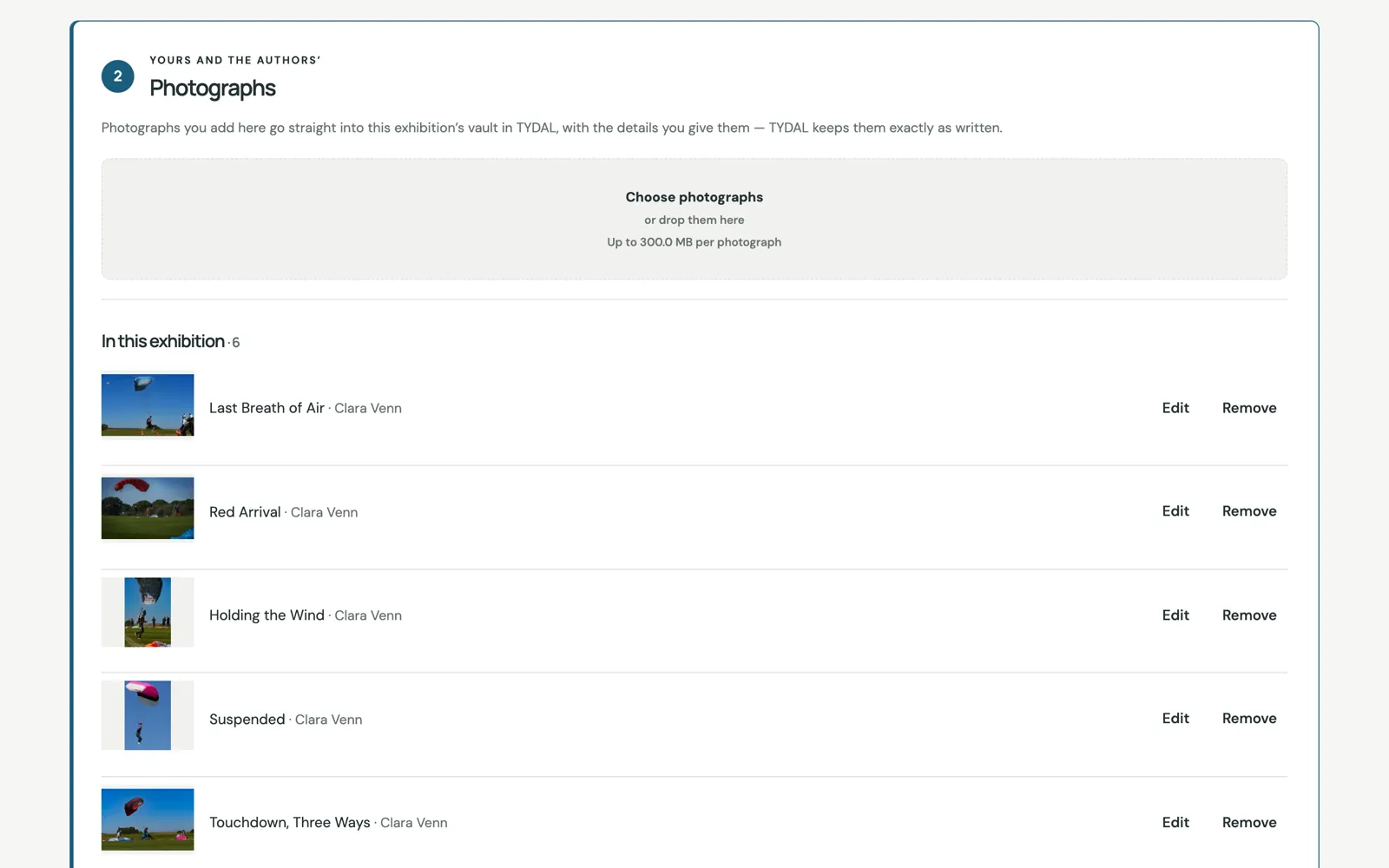
2. Photographs. Uploads go straight into the exhibition’s Vault in TYDAL, with the details the curator gives them.
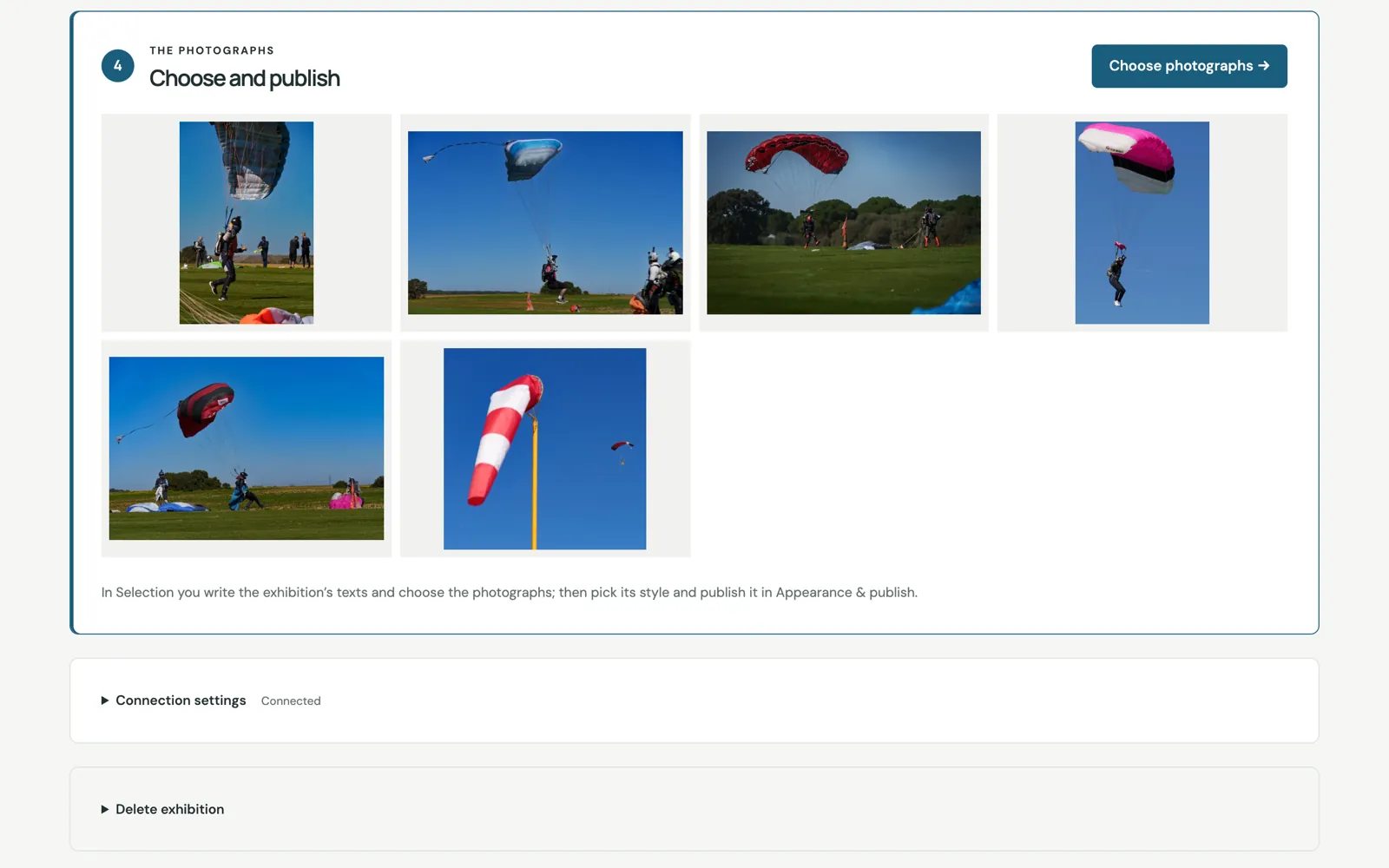
3. Choose and publish. The curator writes the exhibition’s texts and selects the photographs, then picks a style and publishes.
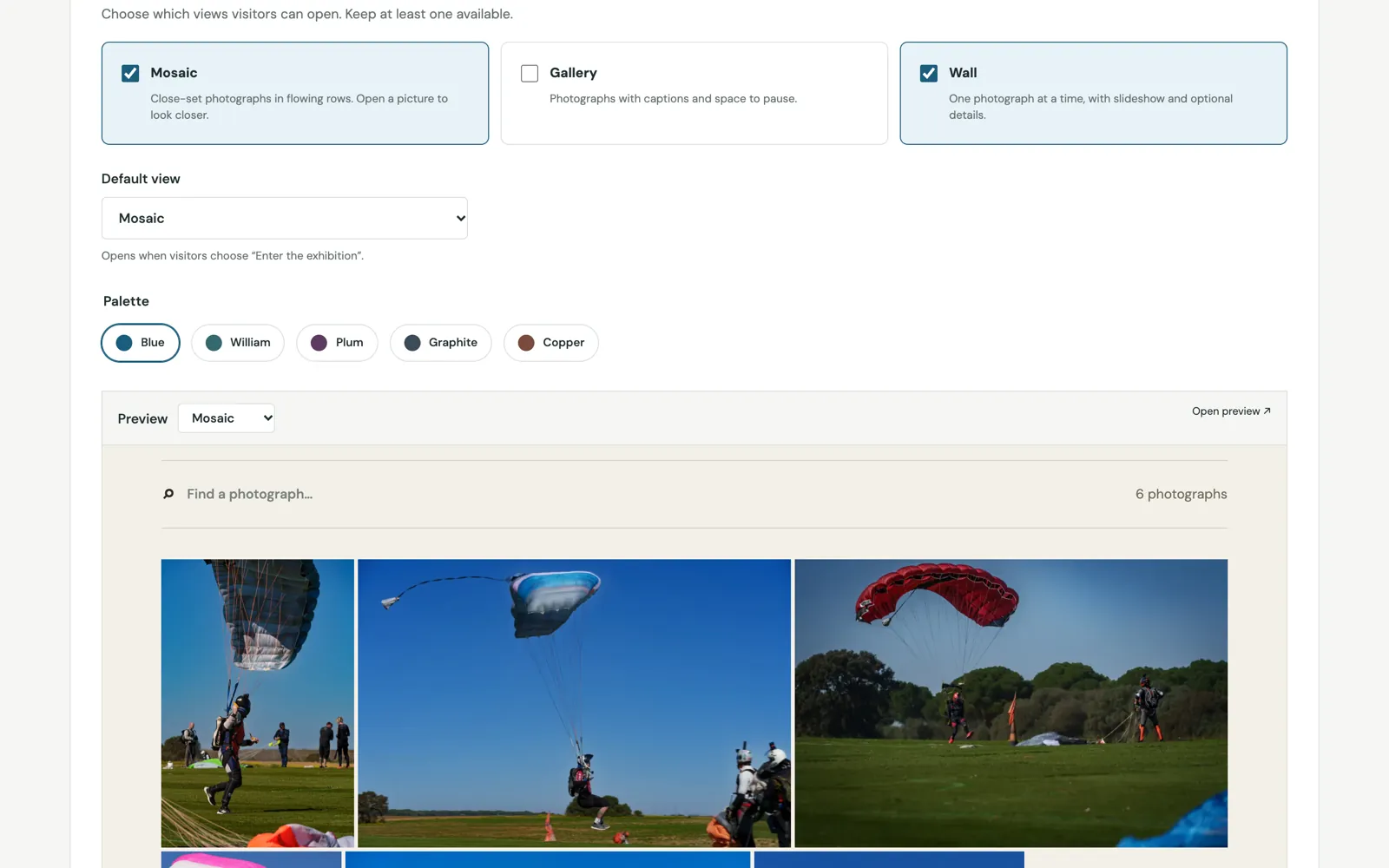
4. Appearance. Which views visitors can open, the default view and the palette, with a live preview.
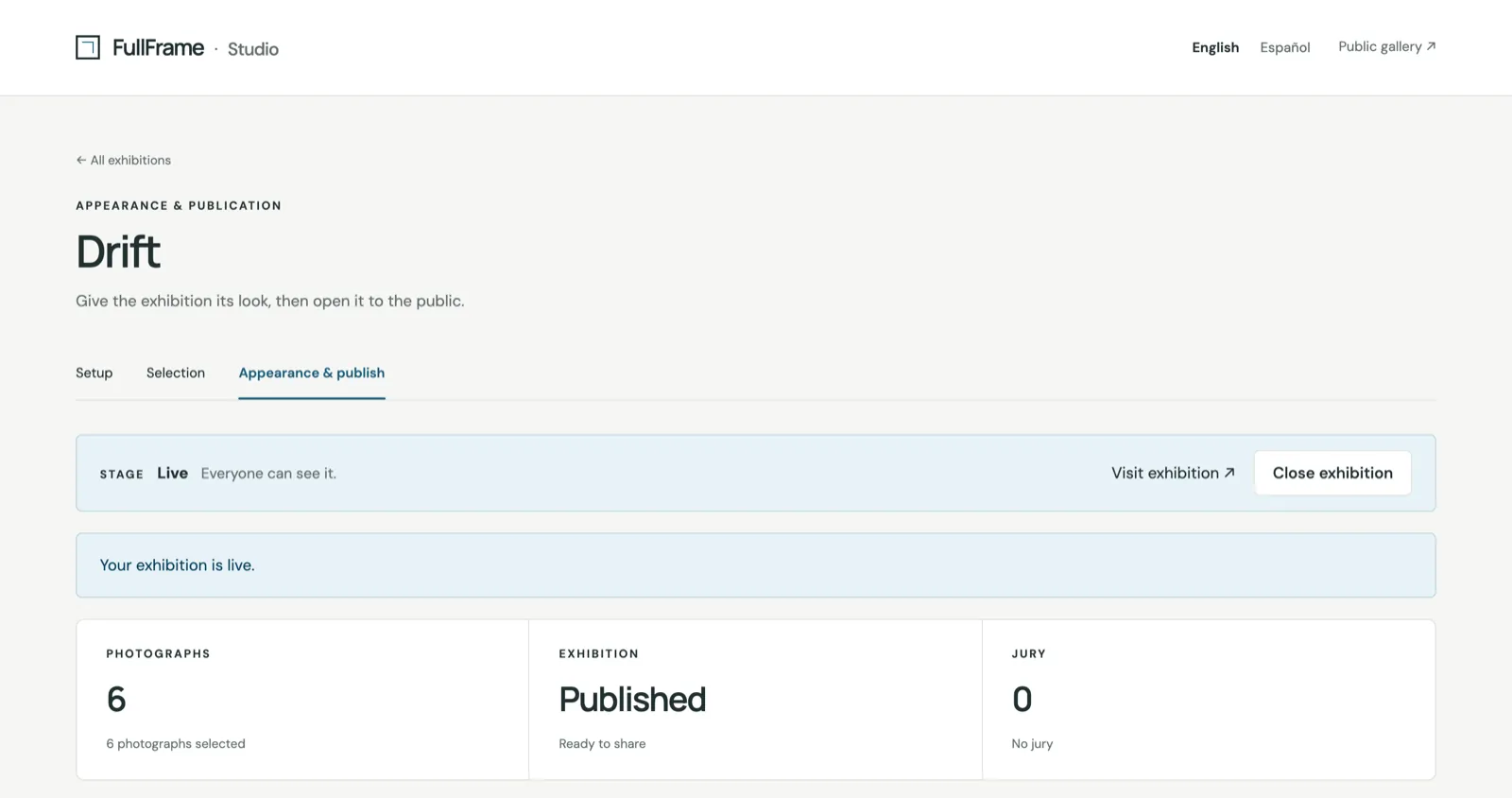
5. Live. Publishing activates the selection and opens the Vault; Close exhibition makes it private again.
Workflow walkthroughs
Watch Claude curate Drift: it reads the exhibition through its Vault, proposes titles and descriptions, and writes them back through the organization’s MCP server after asking permission. FullFrame then shows the new titles without any export or upload.